
1
Add Tracks
Bring the finished audio for your album or release into one project.
Turn finished tracks and artwork into complete music releases. Build album videos, prepare metadata, save your progress and publish to YouTube from one focused studio.
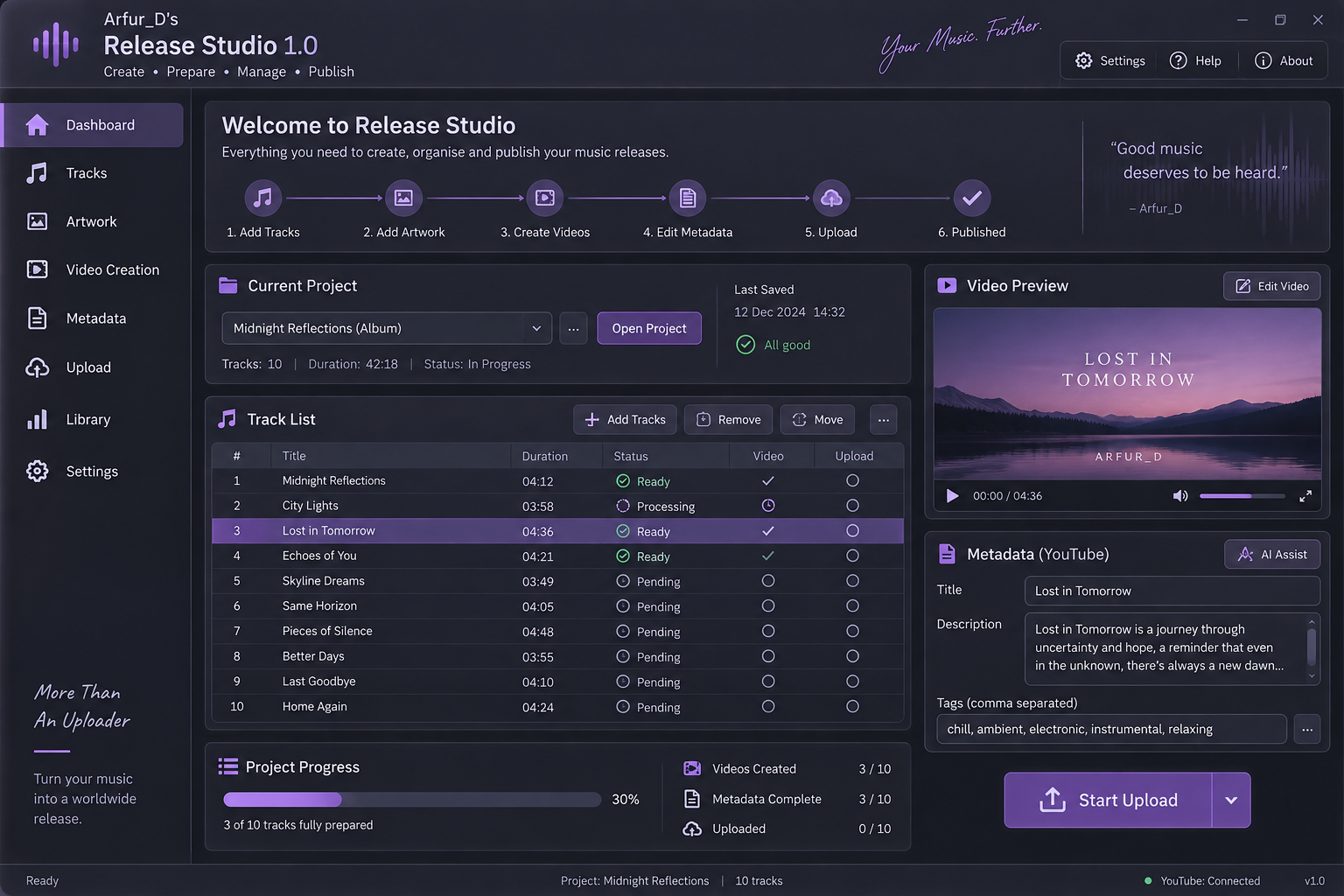
Release Studio follows the job in the same order you do, without forcing you to jump between unrelated tools.
Bring the finished audio for your album or release into one project.
Match artwork to each track and keep everything together.
Build upload-ready videos from your music and artwork.
Prepare titles, descriptions and tags with assistance where you need it.
Publish prepared tracks to your connected YouTube channel.
Keep track of what is finished and what still needs attention.
The repetitive work happens before the Upload button. Release Studio brings those steps into one manageable project.
Keep the track list, order, duration, status and source files organised as one release.
Turn audio and artwork into consistent video files without rebuilding the same timeline for every track.
Prepare descriptions and tags in the same place you manage the track, rather than copying between apps.
See which videos, metadata and uploads are complete across the entire album at a glance.
Connect your own YouTube account and publish once each track is ready.
A graphite interface with soft purple highlights designed for long sessions without harsh neon contrast.
Save everything associated with a release and come back later without rebuilding your progress.
Track management stays central, with video preview and metadata alongside it and project progress always visible.
Create one complete album on your computer for free. Purchase a licence when you are ready to publish through Release Studio.
One album-generation trial per computer. Failed or cancelled attempts do not use the trial. YouTube uploading remains locked during the trial.
Download the trialBuild it, prepare it, save it and publish it from Release Studio.